
14-day free trial · iPhone and Android
The custody app that builds your schedule for you
Tell CustodySplit how you share time — “we do 2-2-3” or “every other weekend plus Wednesdays” — and it builds the whole parenting time calendar for you, rotations and holidays included.
Start your free trial
Free for 14 days. Then $59.99 a year or $7.99 a month.
What makes a shared custody schedule so hard to keep straight
Nobody is quite sure whose week it is
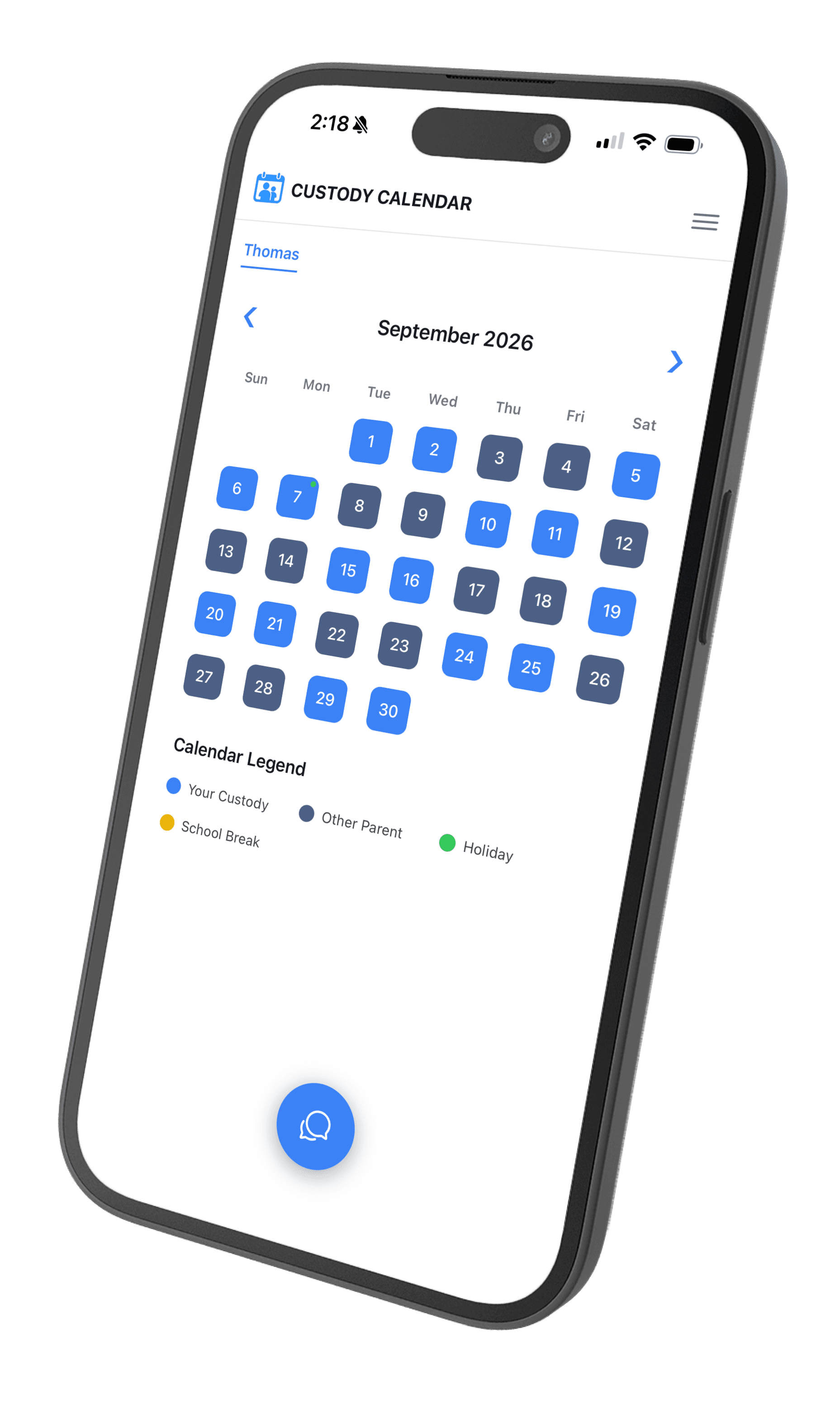
One calendar answers it. Every day is already assigned, so checking takes a glance instead of a conversation.
The schedule is hard to write down in the first place
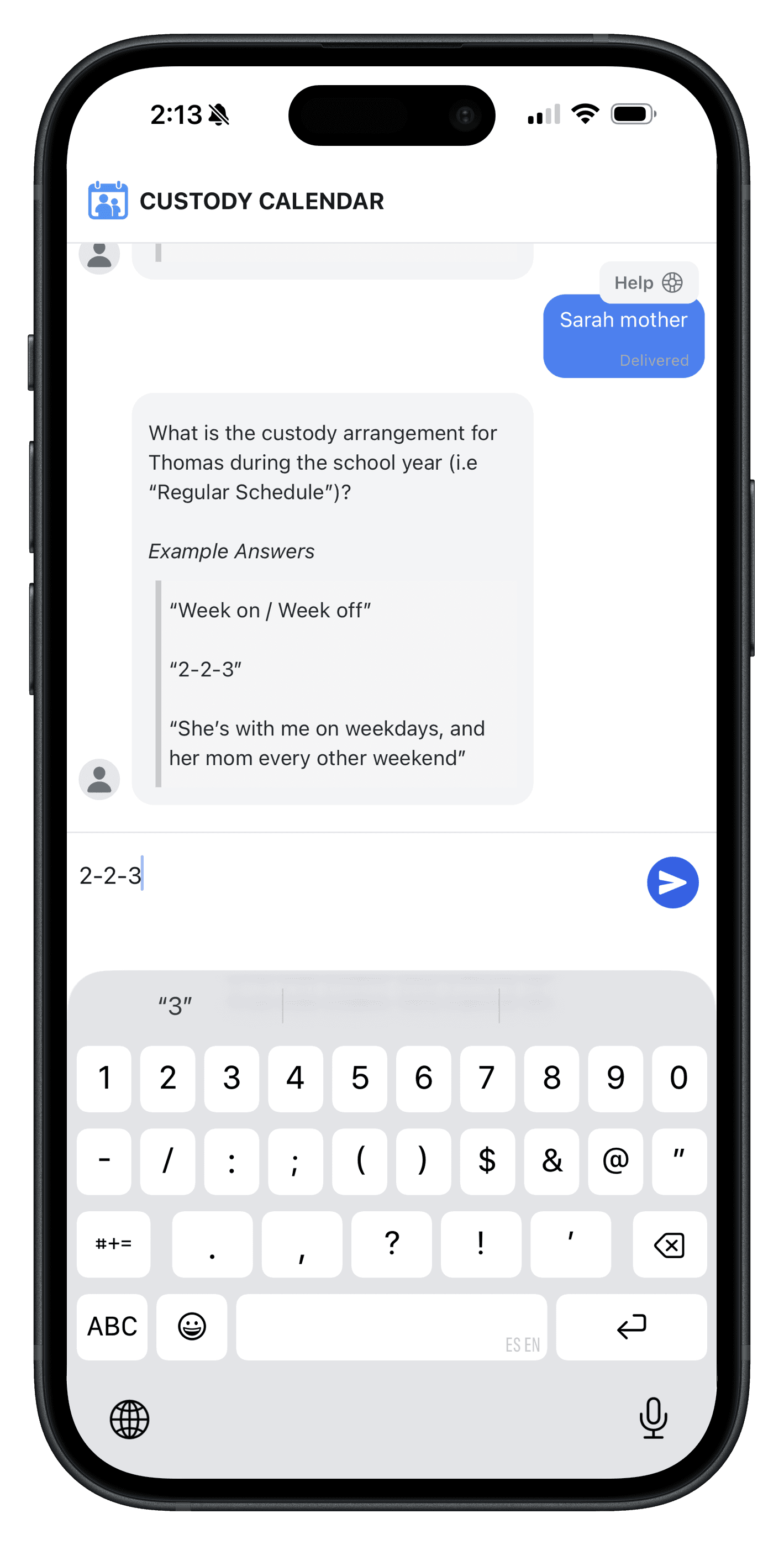
Describe the arrangement in your own words and CustodySplit builds it — no dragging days around a grid.
Exchanges get missed or turn up late
Every handoff day is already marked on the calendar, so it is something you look up rather than something you dispute.
Describe it, don’t build it
How do you set up a custody schedule without building a calendar by hand?
You describe it in plain language, the way you would explain it to a friend. CustodySplit reads the arrangement, works out the pattern, and fills in the calendar — every rotation, every handoff day, all the way out. There is no grid to build and no recurrence rule to figure out.
Things you can just type
- “We do 2-2-3, starting with me on Monday.”
- “Every other weekend plus Wednesday nights.”
- “Week on, week off, swapping Friday after school.”
Each one produces a complete, editable calendar. If your arrangement does not have a tidy name, describe it anyway — that is the point.
What CustodySplit handles for you
Real custody arrangements are rarely tidy. These are the parts that usually take a spreadsheet and a group text.
Rotating patterns
2-2-3, week-on/week-off, every other weekend, or a rotation of your own. The pattern repeats itself so you are never counting days ahead.
Holiday schedules
Holidays that alternate year to year sit on top of the regular rotation, so Thanksgiving lands with the right parent without anyone re-reading the parenting plan.
Exceptions and swaps
Trade a weekend or cover a work trip as a one-off change. The underlying schedule stays intact and resumes straight afterwards.
Plain-language setup
Describe the arrangement in a sentence and the app builds it. Setup is a conversation, not an afternoon of data entry.
The whole year at a glance
Scroll ahead to any month and see exactly who has the children on any given day, including the exchanges in between.
How does CustodySplit work?
Three steps, and the third one happens on its own. Most parents have a working calendar before they have finished their coffee.
Download the app
CustodySplit is free to download on iPhone and Android, and free to use for the first 14 days.
Describe your schedule
Type your arrangement the way you would say it out loud — “we do 2-2-3” or “every other weekend plus Wednesdays.”
See your calendar
The full schedule appears, rotations and holidays included. Adjust anything that is not quite right.
The first 14 days are free, and it is the complete app — set up your real schedule and see whether it actually makes the next month easier before you pay for anything.
Free for 14 days. Then $59.99 a year or $7.99 a month.
What co-parents say after the first month
“I typed in that we do week-on/week-off starting the first Friday, and the whole year was just there. I had been keeping it in a spreadsheet for two years.”
Dana R.Co-parent of two “We used to text back and forth every Sunday working out who had them. Now I just check the calendar, and the answer is already there.”
Marcus T.Co-parent of one “Swapping a weekend used to mean redoing everything. I move the one day, and the rest of the schedule stays exactly where it was.”
Priya S.Co-parent of three
How much does CustodySplit cost?
Every plan starts with the same 14-day free trial, and the trial is the complete app — not a limited version. Both plans include every feature; the only difference is how often you are billed.
Annual
Best value$59.99/year
Works out to $5.00 a month, billed once a year.
Saves $35.89 a year versus monthly.
Starts with a 14-day free trial.
Start your free trialMonthly
$7.99/month
Billed every month.
Starts with a 14-day free trial.
Start your free trial
Custody calendar questions, answered
What is a 2-2-3 custody schedule?
A 2-2-3 custody schedule is a rotating two-week pattern where one parent has the children for two days, the other parent has them for the next two days, and the first parent has them for the following three days — then the pattern flips the second week, so both parents get the same total time. It keeps children from going more than three days without seeing either parent, which is why it is common with younger kids. CustodySplit can build a 2-2-3 schedule for you: describe it in plain language and the app fills in every day for the year.
What is the best app for managing a custody schedule?
The best custody schedule app is the one you will actually keep using, which usually means the one that took the least effort to set up. CustodySplit is built around that: instead of assembling a calendar grid day by day, you describe your arrangement in your own words and the app generates the full schedule. It handles rotating patterns, alternating holidays, and one-off swaps.
How do I keep track of a rotating custody schedule?
The reliable way to track a rotating custody schedule is to generate the whole pattern in advance rather than working it out week by week, so nobody has to count days to know whose turn it is. CustodySplit does this automatically once you describe the rotation — week-on/week-off, 2-2-3, every other weekend, or a pattern of your own. Because the calendar is already filled in, an exchange date is something you look up rather than something you argue about.
Can I change one week without rebuilding the whole schedule?
Yes. CustodySplit handles exceptions and swaps as one-off changes on top of your regular pattern, so trading a weekend or covering a work trip does not disturb the rest of the calendar. The underlying rotation stays intact and picks straight back up afterwards.
Is CustodySplit free?
CustodySplit is free to download and free to use for 14 days, then it costs $59.99 per year or $7.99 per month. The free trial gives you the complete app, so you can set up your real custody schedule and see how it works before deciding. There is no separate free tier after the trial ends.
Does CustodySplit work on iPhone and Android?
Yes. CustodySplit is available on both iOS and Android, so it works on whichever phone you carry.
Get your custody schedule out of your head and onto a calendar
Describe the arrangement once. CustodySplit keeps track of the rest, and you both stop having the same conversation every week.
Start your free trial
Free for 14 days. Then $59.99 a year or $7.99 a month.